App Pricing Strategies: Free, Freemium, Subscription, or Paid?
A data-driven comparison of the four app pricing models with revenue benchmarks, category norms, and guidance on when to use each one.
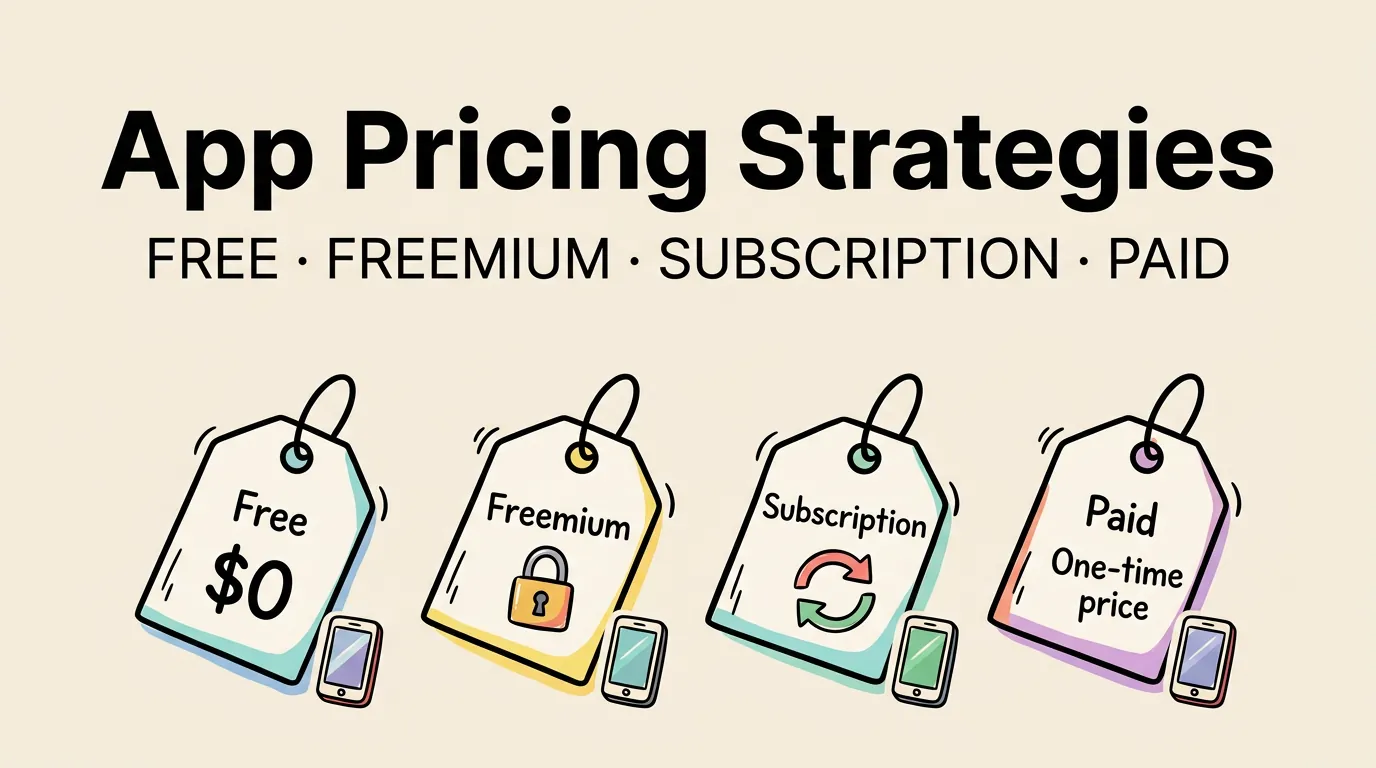
The pricing model you choose for your app is the single biggest decision that affects your revenue, your download numbers, and your long-term business viability. Get it wrong, and you will either leave money on the table or scare away users before they ever try your app.
In 2026, the App Store generates over $90 billion in annual revenue. Subscriptions account for roughly 65% of non-game revenue. Paid upfront apps have declined to under 8% of total revenue. The market has shifted decisively toward recurring revenue models, but that does not mean subscriptions are right for every app.
This guide compares the four pricing models with real benchmarks, walks through the psychology of pricing, and helps you choose the right model for your specific situation.
The Four Pricing Models Compared
Every app on the App Store falls into one of four pricing categories. Each has distinct advantages and trade-offs:
| Model | How It Works | Revenue Predictability | Download Volume | Best For |
|---|---|---|---|---|
| Free (ad-supported) | Users pay nothing, revenue from ads | Low, variable | Highest | Utility apps, content apps with high engagement |
| Freemium | Free core app, one-time purchases unlock features | Medium | High | Productivity, creative tools, games |
| Subscription | Recurring payments for ongoing access | High, predictable | Moderate | Services, content, professional tools |
| Paid upfront | One-time purchase price | Low, front-loaded | Lowest | Niche utilities, professional tools, indie games |
Revenue Benchmarks by Model (2026 Data)
These numbers represent median revenue for indie apps (solo developer or small team) across all categories:
| Model | Median Monthly Revenue (Indie) | Top 10% Monthly Revenue | Typical Conversion Rate |
|---|---|---|---|
| Free (ad-supported) | $50-200 | $2,000-5,000 | N/A (monetized via engagement) |
| Freemium | $200-800 | $5,000-20,000 | 2-5% of users purchase |
| Subscription | $300-1,200 | $10,000-50,000 | 1-3% subscribe, 60-70% retain monthly |
| Paid upfront ($2.99-9.99) | $100-500 | $3,000-10,000 | N/A (all users pay) |
The numbers make the case for subscriptions clear, but there is a catch: subscription apps require ongoing value delivery. Users will cancel if they do not perceive continuous value.
Free (Ad-Supported) Apps
The free model maximizes downloads. Everyone can try your app with zero friction. Revenue comes from displaying ads to users while they use the app.
When Free Works
- Your app has high daily engagement (weather, calculator, news)
- Your category is highly competitive and users expect free options
- You want maximum reach and plan to monetize through volume
- You are building an audience for a future premium product
When Free Fails
- Your app is used infrequently (seasonal tools, one-time-use utilities)
- Your target users are privacy-conscious (ads require data collection)
- Your user base is small but high-value (enterprise, professional tools)
- Ad revenue in your category is below $1 eCPM
Ad Revenue Reality Check
| Metric | Typical Range | What It Means |
|---|---|---|
| eCPM (cost per 1,000 impressions) | $0.50-5.00 | Revenue per 1,000 ad views |
| Daily active users needed for $1,000/month | 7,000-65,000 | Depends heavily on engagement |
| Average session length needed | 3+ minutes | Short sessions = fewer ad impressions |
| User tolerance for ads | 2-3 per session | More than that increases uninstalls |
The math is unforgiving. To earn $1,000 per month from ads alone, you need thousands of daily active users with long sessions. For most indie apps, this is not realistic.
Freemium: The Balanced Approach
Freemium gives you the download volume of a free app with the revenue potential of a paid one. Users can try your app for free, and a percentage will pay to unlock premium features.
Designing Your Free vs. Paid Split
This is where most developers struggle. Give away too much, and nobody pays. Give away too little, and nobody stays.
| Approach | Description | Conversion Rate | Best For |
|---|---|---|---|
| Feature gating | Core features free, advanced features paid | 3-5% | Productivity, creative tools |
| Usage limits | Free for X uses per day/month, unlimited with purchase | 2-4% | Utility apps, API-dependent tools |
| Content locking | Free content plus premium library | 1-3% | Education, content, media apps |
| Cosmetic/comfort | Full functionality free, visual upgrades paid | 1-2% | Games, social apps |
The most effective approach is feature gating where the free version solves the user’s core problem, and the paid version makes them significantly more efficient at it.
Pricing Your Freemium Upgrade
For one-time purchases:
- $0.99-1.99: Impulse buy range. High conversion, low revenue per user.
- $2.99-4.99: Sweet spot for most utilities and productivity apps.
- $4.99-9.99: Requires strong perceived value. Works for creative and professional tools.
- $9.99-29.99: Premium tier. Only works if the app replaces something expensive.
Test your price. Start at $4.99 and monitor your conversion rate. If it is under 2%, consider lowering the price. If it is over 5%, you might be leaving money on the table.
Subscriptions: The Recurring Revenue Model
Subscriptions have taken over the App Store. Apple actively promotes subscription apps, and the reduced commission rate (15% after the first year of continuous subscription) makes the economics increasingly favorable.
Why Subscriptions Win Financially
A subscription app with 1,000 paying users at $4.99/month generates roughly $50,000 per year. A paid upfront app at $4.99 needs 10,000 new purchases per year to match that. And the subscription revenue is predictable and growing, while the paid revenue requires constant new user acquisition.
Subscription Pricing Tiers
| Price Point | Annual Equivalent | User Expectation | Typical Category |
|---|---|---|---|
| $0.99-1.99/month | $12-24/year | Basic ongoing value | Weather, utilities |
| $2.99-4.99/month | $36-60/year | Regular updates, active development | Productivity, fitness |
| $4.99-9.99/month | $60-120/year | Professional-grade features, content | Creative tools, business |
| $9.99-19.99/month | $120-240/year | High-value professional tool | Design, development, analytics |
| $19.99+/month | $240+/year | Enterprise or expert-level | Specialized professional tools |
Subscription Retention Benchmarks
| Time Period | Typical Retention Rate | What It Means |
|---|---|---|
| Month 1 to Month 2 | 60-70% | First renewal is the biggest drop |
| Month 3 | 50-60% | Users who stay past month 3 tend to stick |
| Month 6 | 40-50% | Your core audience |
| Month 12 | 30-45% | Loyal users, reduced churn |
| Annual subscribers | 55-70% (annual renewal) | Annual plans have better retention |
Offer both monthly and annual plans. Price the annual plan at 60-70% of 12 months of monthly payments. This encourages annual commitments, which have dramatically higher retention rates.
Paid Upfront: The Simple Model
Paid upfront is the simplest model: users pay once and get the full app. No trials, no paywalls, no recurring charges. It is also the riskiest for developers because your revenue depends entirely on a constant stream of new users.
When Paid Upfront Still Works
- Niche professional tools where users know exactly what they need
- Apps that replace a significantly more expensive alternative
- Games with a complete, finite experience
- Apps where the developer’s reputation alone drives purchases
The Paid App Disadvantage
The App Store algorithm favors download velocity. Paid apps inherently have lower download volume, which means lower ranking in search results, which means even fewer downloads. It is a negative feedback loop.
Additionally, a paid app cannot show up in the “Free Apps” charts, and many users filter their search results to free apps only.
If you go paid, consider offering a free companion app or a limited free version that funnels users to the paid version.
How Pricing Affects App Store Rankings
Your pricing model directly affects your visibility in the App Store. Here is how:
| Factor | Free/Freemium Impact | Paid Impact |
|---|---|---|
| Download velocity | Higher (lower barrier) | Lower (price barrier) |
| Chart eligibility | Free charts + category | Paid charts + category |
| Search ranking signal | More downloads = stronger signal | Fewer downloads = weaker signal |
| Conversion rate | Higher (free download) | Lower (requires payment commitment) |
| User engagement signal | Varies by app quality | Generally higher (invested users) |
The App Store algorithm in 2026 weighs download velocity, engagement, and retention. Free and freemium apps have a structural advantage in download velocity, which is why most top-ranking apps use these models.
For a comprehensive look at every element that affects your listing performance, see the listing optimization guide.
Category-Specific Pricing Norms
Users have strong expectations about pricing based on category. Going against these norms creates friction:
| Category | Dominant Model | Typical Price Range | User Expectation |
|---|---|---|---|
| Productivity | Freemium/Subscription | $2.99-9.99/month | Free trial essential |
| Photo/Video | Freemium | $4.99-29.99 one-time | Free basic editing |
| Health and Fitness | Subscription | $4.99-14.99/month | Free tracking, paid coaching |
| Games (casual) | Free (ad-supported) | Free + IAP | Free to play, pay for extras |
| Games (premium) | Paid upfront | $2.99-9.99 | Complete experience |
| Education | Freemium/Subscription | $4.99-14.99/month | Free content, paid courses |
| Business/Developer Tools | Subscription | $9.99-29.99/month | Free tier or trial expected |
| Weather | Free/Subscription | $0.99-4.99/month | Free basic, paid for premium |
| Navigation | Free | Free | Users expect free maps |
| Music | Subscription | $4.99-12.99/month | Free tier expected |
Research what your competitors charge. If every competing app in your category is free with subscriptions at $4.99/month, launching at $9.99 paid upfront will be an uphill battle.
The Psychology of App Pricing
How users perceive your price matters as much as the price itself.
Anchoring. Show users what they would pay for alternatives before showing your price. If professional design software costs $50/month and your app costs $9.99/month, that context makes your price feel like a bargain.
Price ending. .99 pricing works. It is not sophisticated, but $4.99 converts measurably better than $5.00. Apple’s pricing tiers are already set up for this.
Free trial framing. “Start your 7-day free trial” converts better than “Subscribe for $4.99/month.” The trial removes the purchase decision and replaces it with a much easier “try it” decision.
Loss aversion. After a free trial ends, the user has already invested time and created data in your app. The psychological cost of losing that investment drives conversions more than the value of the features themselves.
Social proof. Display download counts, ratings, and testimonials near your pricing. Users are more willing to pay when they see others have already done so.
To optimize how pricing is presented in your App Store listing, work on your screenshot strategy and your conversion rate optimization.
When and How to Change Your Price
Changing your price is not a one-way door. You can and should experiment.
Signals That Your Price Is Wrong
- Conversion rate below 1% (price too high or value proposition unclear)
- Conversion rate above 8% (you may be underpricing)
- High download volume but low revenue (freemium threshold too low)
- Users mentioning price in negative reviews
- Competitors at significantly different price points
How to Change Without Losing Users
- Grandfather existing users. Never take features away from paying users.
- Announce changes in advance. Give users time to lock in the current price.
- A/B test with regional pricing. Test a higher price in a smaller market before rolling it out globally.
- Use promotional pricing. Apple supports introductory offers, promotional offers, and offer codes for subscriptions.
FAQ
Should I offer a free trial for my subscription app? Yes. Free trials are almost universally beneficial for subscription apps. A 7-day trial is the most common duration, though 3-day trials work for apps with immediate value and 14-day trials work for apps that require setup time. The key is ensuring users experience the app’s core value before the trial expires. Without a trial, your subscription conversion rate will be significantly lower.
Can I switch from paid to freemium after launch? Yes, and many successful apps have done exactly that. When switching, make sure existing paid users retain full access to everything they purchased. Apple allows you to change your pricing model at any time through App Store Connect. The transition typically results in a significant increase in downloads, though per-user revenue will initially decrease before recovering through IAP conversions.
What is the best price for an indie app in 2026? For freemium apps, $4.99-9.99 for a one-time unlock or $2.99-4.99/month for subscriptions are the most common successful price points among indie apps. For paid upfront, $2.99-4.99 balances conversion rate with revenue. However, the “best” price depends entirely on your category, your competition, and the value you provide. Research your specific market before setting a price.
How do I handle international pricing? Apple automatically converts your base price to local currencies using their pricing tiers, but these conversions are not always optimal. Manually review and adjust pricing for your top 5 markets. In some regions, the purchasing-power-adjusted price should be lower than the direct currency conversion. Apple’s pricing matrix lets you set custom prices per country.
Is it worth offering a lifetime purchase option? A lifetime option can work as a psychological anchor that makes your annual plan look affordable by comparison. Price it at 3-4 times the annual rate. Some users prefer paying once, and that upfront revenue can fund development. However, be cautious: if too many users choose lifetime, your recurring revenue suffers. Many developers limit lifetime offers to promotional periods.