App Store Optimization (ASO) in 2026: The Complete Guide
Everything you need to know about ASO in 2026. Learn the 5 pillars of App Store Optimization, how Apple's algorithm works, keyword research, screenshot optimization, and how to measure success.
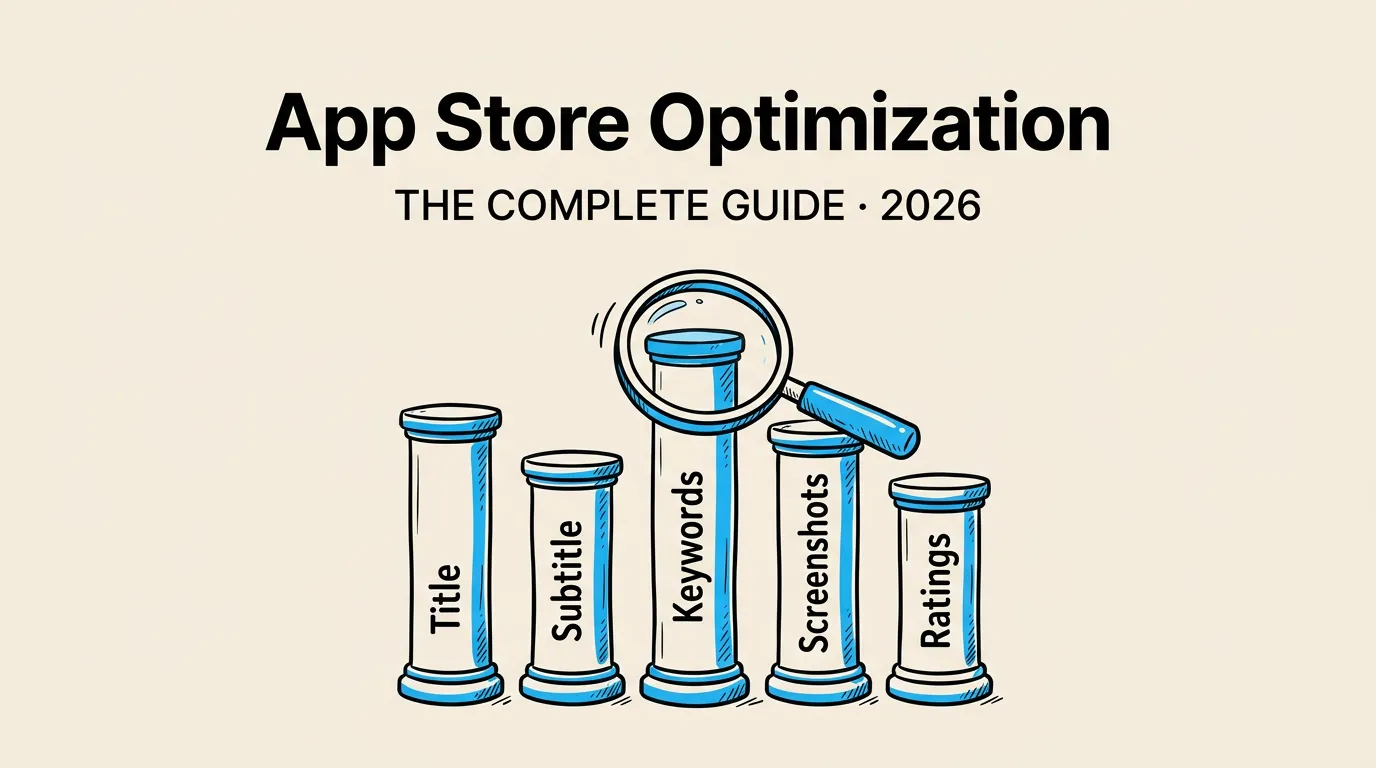
App Store Optimization is the single most cost-effective growth channel for mobile apps. Paid ads stop working the moment you stop paying. ASO compounds over time. Every improvement you make to your listing keeps working for months and years after you make it.
Yet most developers treat ASO as an afterthought. They fill in the App Store Connect fields at the last minute, upload whatever screenshots they have, and wonder why nobody downloads their app. In 2026, with over 1.8 million apps on the App Store, that approach guarantees obscurity.
This guide covers everything you need to know about ASO: what it is, why it matters, how Apple’s algorithm works, and the five pillars you need to optimize. Whether you are launching your first app or trying to revive a stale listing, this is your starting point. For screenshot-specific optimization, check our screenshot best practices guide.
What Is ASO and Why It Matters in 2026
App Store Optimization is the process of improving your app’s visibility and conversion rate within the App Store. It covers two sides: discoverability (can users find your app?) and conversion (once they find it, do they install it?).
The numbers tell the story:
| Metric | Value |
|---|---|
| Apps on the App Store | 1.8M+ |
| Searches that result in a download | 70% |
| Users who never scroll past first 5 results | 65% |
| Average conversion rate (impression to install) | 3-8% |
| Organic installs driven by search | 65% |
Most app installs come from search. If your app does not show up for relevant keywords, you are invisible to the majority of potential users. And unlike Google search, you cannot buy your way to the top of organic results. You have to earn it through optimization.
In 2026, ASO has become more nuanced than ever. Apple now uses OCR to read text from screenshots and index it for search. Machine learning powers personalized search results. And the competition for generic keywords has never been fiercer. But the fundamentals remain the same: optimize your metadata, create compelling screenshots, and earn great ratings.
The 5 Pillars of ASO
Every successful ASO strategy rests on five pillars. Neglect any one of them and your results will suffer.
Pillar 1: App Title (30 Characters)
Your title is the most heavily weighted metadata field for search rankings. It is also the first text users see. You need to balance brand identity with keyword targeting.
Best practice: Lead with your brand name, then add your primary keyword.
| Approach | Example | Effectiveness |
|---|---|---|
| Brand only | ”Headspace” | Strong brand, weak discovery |
| Keyword only | ”Meditation Timer” | Good discovery, no brand |
| Brand + Keyword | ”Headspace: Meditation & Sleep” | Best of both worlds |
| Keyword stuffing | ”Meditate Sleep Calm Relax Free” | Spammy, hurts trust |
Pillar 2: Subtitle (30 Characters)
The subtitle appears directly below your title in search results. It is indexed for keywords and plays a major role in conversion. Use it to communicate your primary value proposition and target secondary keywords that do not fit in your title.
Pillar 3: Keyword Field (100 Characters)
The hidden keyword field is your secret weapon. It is not visible to users but is fully indexed by Apple’s search algorithm. You get 100 characters to target every relevant keyword that does not appear in your title or subtitle.
Key rules: separate words with commas, no spaces after commas, no need to repeat words already in your title or subtitle, and use singular forms only (Apple indexes both singular and plural). For a deep dive, see our keyword research guide.
Pillar 4: Screenshots
Screenshots are the single biggest conversion lever on your app listing. They are the first visual element users see in search results, and on the product page they dominate the viewport.
Since 2024, Apple also reads the text in your screenshots using OCR and adds it to your keyword index. This means screenshot captions serve a dual purpose: they convert users AND improve your search visibility. Read our OCR strategy guide for the full breakdown.
| Screenshot Factor | Impact on Conversion | Impact on Search |
|---|---|---|
| First screenshot | Very high | Moderate (OCR) |
| Caption text | High | High (OCR indexed) |
| Design quality | High | None |
| Number of screenshots | Moderate | Moderate (more OCR text) |
| Device frame usage | Moderate | None |
Pillar 5: Ratings and Reviews
Apps with higher ratings rank higher, convert better, and get featured more often. Apple’s algorithm uses both your average rating and your rating velocity (how many new ratings you receive per week).
A 4.0-star app with 10,000 ratings will outperform a 4.8-star app with 50 ratings in most ranking scenarios. Volume matters. Recency matters. And responding to reviews (especially negative ones) signals to both Apple and users that you care.
How Apple’s Algorithm Works in 2026
Apple has never published the exact weights of its ranking algorithm, but years of experimentation and observation have revealed the key signals.
Primary ranking factors:
- Keyword relevance - Does the search term appear in your title, subtitle, keyword field, or OCR-extracted text?
- Download velocity - How many installs has your app received recently?
- Engagement and retention - Do users keep your app installed? Do they use it regularly?
- Ratings volume and score - How many ratings do you have, and how recent are they?
- Update frequency - Apps that ship regular updates get a small freshness boost.
Secondary ranking factors:
- In-app purchase names and descriptions (indexed for search)
- App category (affects which search queries surface your app)
- Developer account history (long-standing accounts with successful apps get a trust boost)
- Backlinks and external signals (Apple has confirmed these play a role)
The algorithm is personalized. Two users searching for the same keyword may see different results based on their download history, location, and device. This makes ASO harder to track but also creates opportunities to capture niche audiences.
For a detailed analysis of the algorithm, read our App Store algorithm deep dive.
Keyword Research Basics
Keyword research is the foundation of ASO. Without it, you are guessing which terms to target. With it, you can make data-driven decisions that compound over time.
The process:
- Brainstorm seed keywords - What would someone type to find an app like yours?
- Expand with tools - Use ASO tools (Sensor Tower, AppTweak, ASOdesk) to find related keywords and their search volume.
- Evaluate difficulty - High-volume keywords are useless if you cannot crack the top 10. Focus on keywords where you have a realistic chance of ranking.
- Prioritize - Map your best keywords to title, subtitle, and keyword field based on relevance and search volume.
- Monitor and iterate - Track your rankings weekly and adjust every 4-6 weeks.
| Keyword Type | Example | Volume | Difficulty | Strategy |
|---|---|---|---|---|
| Brand | ”Spotify” | Very High | Impossible | Only for your own brand |
| Generic | ”music player” | High | Very Hard | Long-term target |
| Long-tail | ”offline music player free” | Medium | Moderate | Quick wins |
| Competitor | ”spotify alternative” | Low-Med | Moderate | Capture switchers |
| Feature | ”sleep timer music” | Low | Easy | Niche capture |
The biggest mistake developers make is targeting only high-volume keywords. A top-3 ranking for a medium-volume keyword will drive more downloads than a position 50 ranking for a high-volume keyword. Focus on keywords you can actually win.
Screenshot Optimization Overview
Screenshots are the bridge between search visibility and actual downloads. You can rank first for every keyword, but if your screenshots do not compel users to install, your ASO investment is wasted.
Here is what the data shows:
- 60% of users never scroll past the first three screenshots
- Apps with custom-designed screenshots convert 25-35% better than apps with raw screenshots
- Portrait screenshots show 2-3 in search results; landscape shows only 1
- Screenshot captions that include relevant keywords improve both conversion and OCR-based search rankings
For a complete guide to screenshot sizes and requirements, see our screenshot sizes reference.
The optimal screenshot strategy in 2026:
- First screenshot - Your single strongest selling point. This is the only screenshot many users will ever see.
- Screenshots 2-3 - Core features that differentiate you from competitors.
- Screenshots 4-6 - Secondary features, social proof, awards.
- Screenshots 7-10 - Edge cases, additional screens, detailed features.
Every screenshot should have a clear caption (for both users and OCR), a clean device frame, and a professional background. Tools like Screenshot Lab can automate much of this process, including AI-powered caption generation and OCR-aware text placement.
Measuring ASO Success
You cannot improve what you do not measure. Here are the key metrics to track:
| Metric | Source | Frequency | Target |
|---|---|---|---|
| Keyword rankings | ASO tool | Weekly | Top 10 for target keywords |
| Impressions | App Store Connect | Weekly | Increasing trend |
| Product page views | App Store Connect | Weekly | Increasing trend |
| Conversion rate | App Store Connect | Weekly | Category benchmark +10% |
| Install volume | App Store Connect | Daily | Increasing trend |
| Ratings count & average | App Store Connect | Weekly | 4.5+ average, growing count |
App Store Connect Analytics provides impressions, product page views, and conversion rates broken down by source (search, browse, referral). Use this data to understand which changes drive results.
ASO tools (Sensor Tower, AppTweak, etc.) provide keyword rankings, competitor tracking, and search volume estimates. These fill the gaps that App Store Connect does not cover.
The feedback loop:
- Make a change (new keywords, new screenshots, etc.)
- Wait 2-4 weeks for results to stabilize
- Measure the impact on rankings, impressions, and conversion
- Keep what works, revert or iterate on what does not
- Repeat
ASO is not a one-time activity. The most successful apps review and update their metadata every 4-8 weeks. For a comprehensive checklist of everything to optimize, see our listing optimization checklist.
Common ASO Mistakes to Avoid
After analyzing hundreds of app listings, these are the mistakes we see most often:
- Keyword stuffing the title - Apple penalizes listings that read like keyword spam. Write for humans first.
- Ignoring the keyword field - Many developers leave it empty or waste characters on words already in their title.
- Using raw screenshots - Unframed, uncaptioned screenshots scream “amateur” and tank conversion rates.
- Never updating metadata - ASO is not set-and-forget. Keywords trend up and down. Competitors change their strategy. You need to adapt.
- Chasing only high-volume keywords - A top-3 ranking for a 30-volume keyword is better than position 200 for an 80-volume keyword.
- Ignoring OCR - Since Apple reads screenshot text, your captions are keyword real estate. Wasting them on generic text like “Welcome to our app” is a missed opportunity.
- Not running A/B tests - App Store Connect product page optimization lets you test up to three treatment variants. Not using it means leaving conversion gains on the table.
Your ASO Action Plan
If you are starting from zero, here is the order of operations:
- Today: Research 20-30 target keywords using an ASO tool or manual search
- Day 2: Rewrite your title, subtitle, and keyword field based on your research
- Day 3-5: Redesign your screenshots with keyword-rich captions using the proper sizes
- Day 6: Update your description and promotional text
- Day 7: Submit the update and set up weekly tracking
- Week 2-4: Monitor results and identify what is working
- Week 5: Make your next round of optimizations based on data
The apps that win at ASO are not the ones that make one big change. They are the ones that make small, data-driven improvements every month. Start with the fundamentals, measure everything, and iterate relentlessly.
Frequently Asked Questions
How long does it take for ASO changes to show results? Most metadata changes (title, subtitle, keywords) take 24-72 hours to be indexed by Apple. However, meaningful ranking changes typically take 2-4 weeks to stabilize. Screenshot changes can impact conversion rates almost immediately, since they affect user behavior rather than search indexing.
Is ASO enough on its own, or do I need paid ads too? ASO should be your foundation. It is the most cost-effective growth channel and works 24/7 without ongoing spend. Paid ads (Apple Search Ads) complement ASO by driving download velocity, which in turn improves organic rankings. The best strategy combines both, using paid ads to boost initial momentum and ASO to sustain long-term organic growth.
How often should I update my App Store metadata? Every 4-8 weeks is the sweet spot. This gives you enough time to measure the impact of each change while staying responsive to shifts in keyword trends and competitor behavior. Screenshot updates can be less frequent (every 2-3 months) unless you are running active A/B tests.
Do app updates affect ASO rankings? Yes. Apple gives a small freshness boost to apps that ship regular updates. More importantly, each update is an opportunity to revise your “What’s New” text and adjust your keyword strategy. Apps that go months without updates tend to see gradual ranking decay.
What is the most important ASO factor for a new app? For a brand-new app with no downloads or ratings, your keyword strategy is everything. You cannot compete on download velocity or rating volume yet, so you need to find low-competition keywords where relevance alone can get you into the top 10. From there, build momentum with great screenshots and prompt users for ratings once you have enough active users.